
Every Shotopus feature, up close
Full page capture, a real editor, privacy tools and a searchable history, all inside Chrome or Firefox. Here's what each one does, and which ones come with Pro.
Trusted by teams at


Capture the whole page in one click
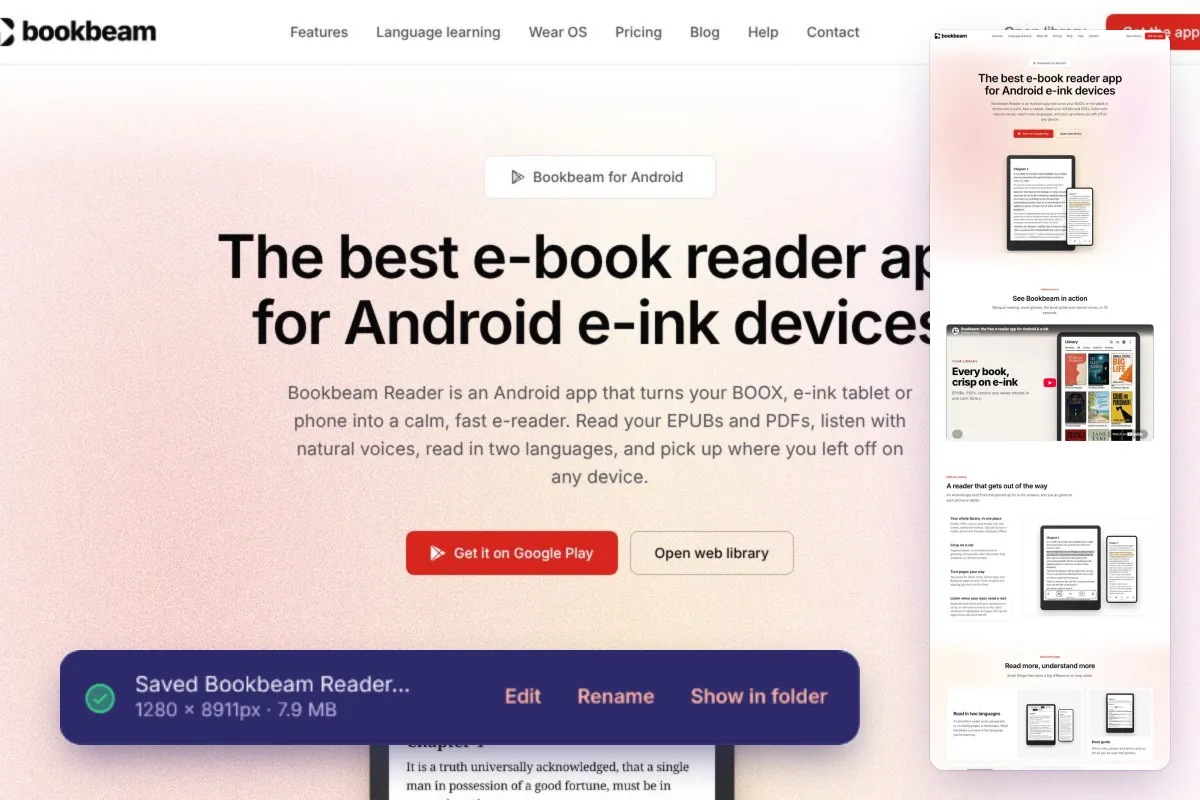
Shotopus scrolls the page for you and stitches it into one sharp image, even 10,000 px long. Or grab exactly the part you need.
- Modes:
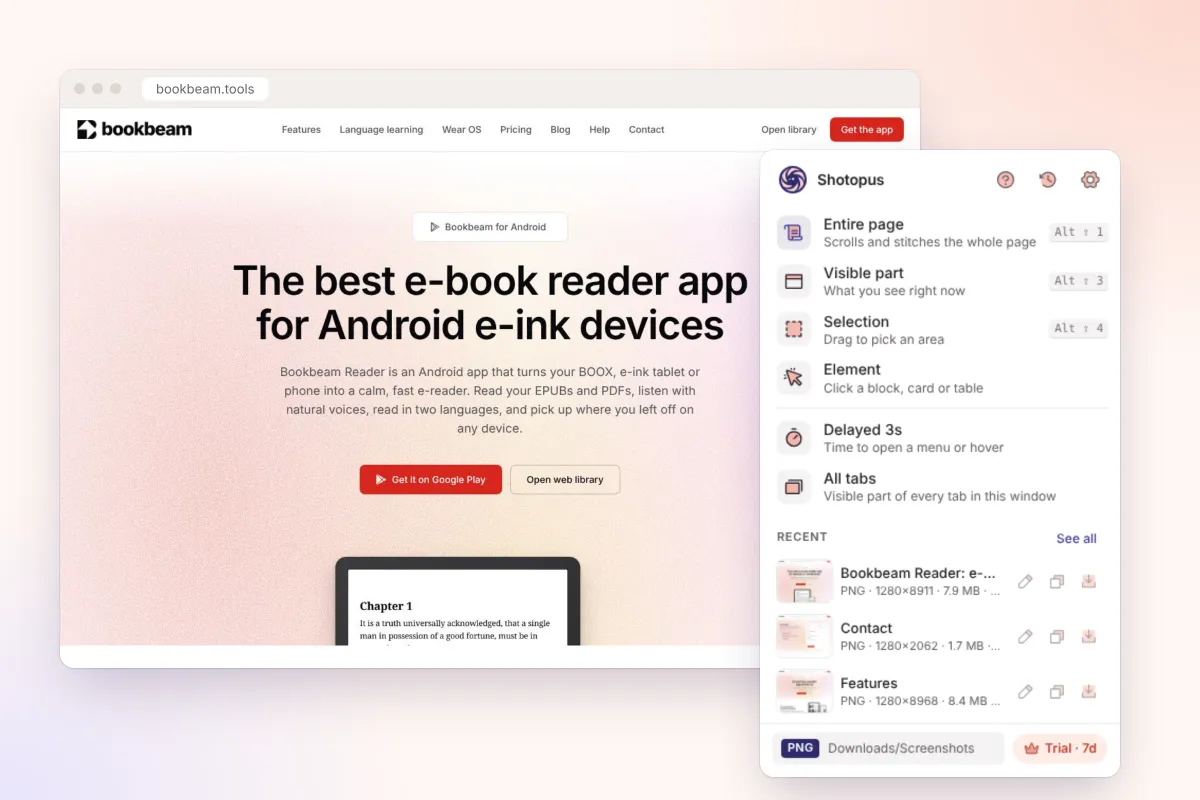
- Entire page, visible part, a dragged selection, or one element like a card, table or chart
- Shortcuts:
- Alt+Shift+1 for the full page, 3 for the visible part, 4 for a selection
- Pages:
- Sticky headers show once, lazy images load first, scroll animations settle
- Pro:
- Delayed capture (3 s, for open menus and hovers) and all-tabs capture
Annotate it like a pro
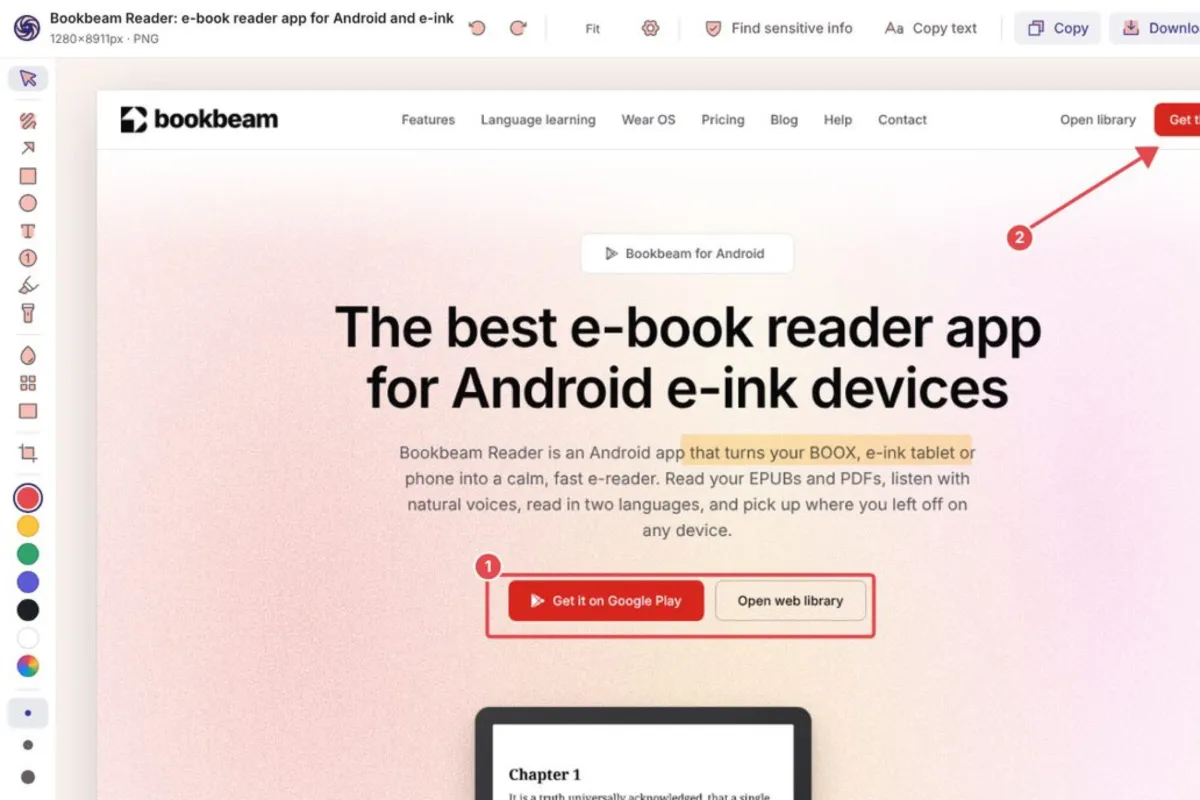
The editor opens the moment the capture is done, so you can mark it up while it's fresh. No exporting to another app.
- Tools:
- Arrows, lines, boxes, ellipses, pen, text and highlighter, in any colour and stroke
- Steps:
- Numbered markers for how-to guides, QA notes and bug reports
- Editing:
- Crop and blur in a click, Ctrl+Z to undo, right-click a shape for more options
- Pro:
- Spotlight, pixelate and black bar, plus copying text straight out of the screenshot
Hide private details before you share
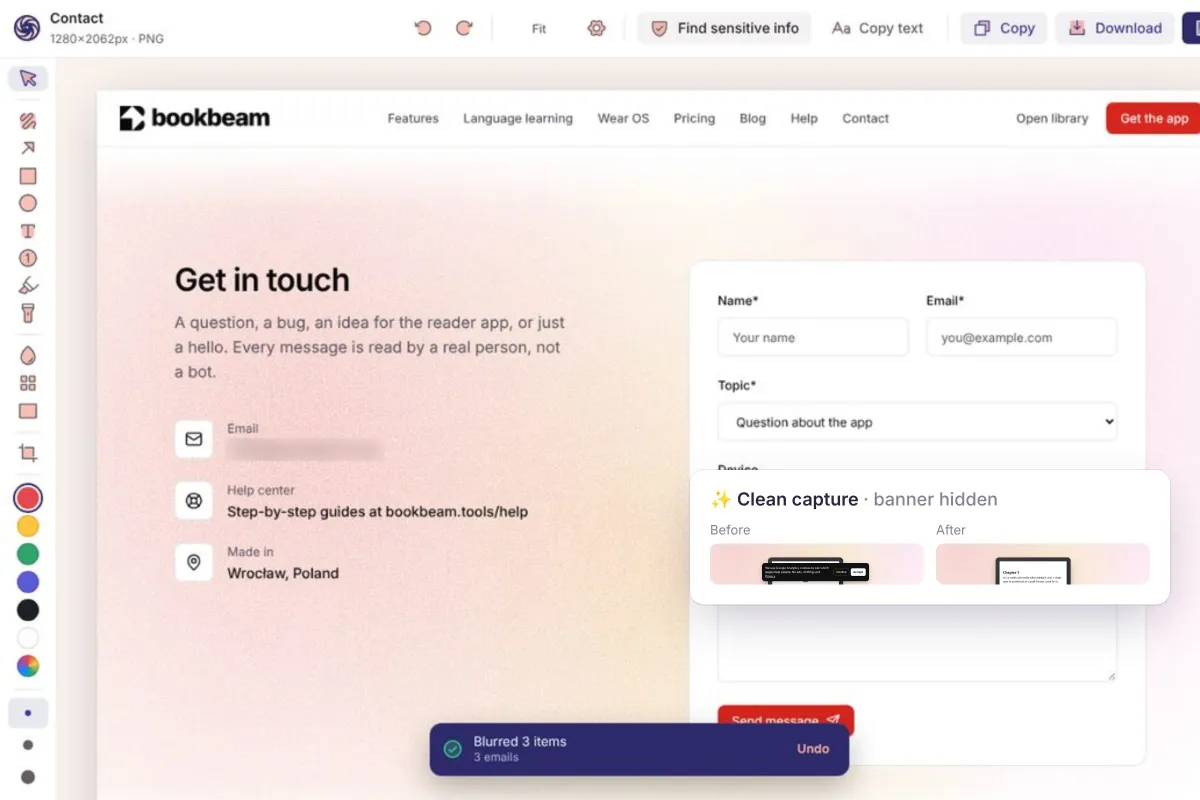
Screenshots leak more than you think. Shotopus finds the risky bits and hides them, and your captures never leave your browser.
- Detect:
- Finds emails, phone numbers and card numbers and blurs them in one click, with undo (Pro)
- Clean:
- Hides cookie banners, chat bubbles and popups before the shot is taken (Pro)
- Headers:
- One setting stops the same header repeating down a long capture
- Storage:
- On your device only. No account, no uploads, no tracking
Find any screenshot again
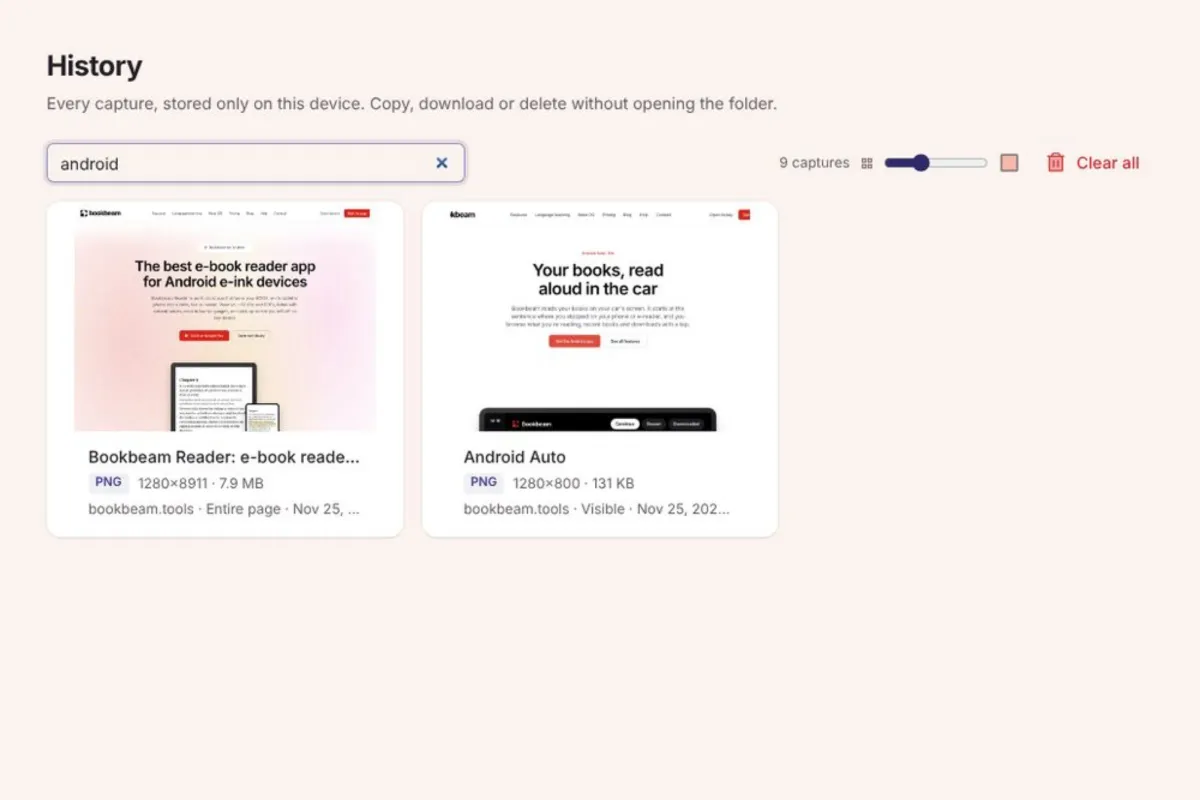
History is a searchable library on your device, not a folder of files named screenshot (37).png.
- Search:
- By title, site, tag or description
- Actions:
- Copy, download, edit again or delete without opening a folder
- Names:
- Built from the page title and date. Pro adds custom patterns and AI-written names and descriptions
- Size:
- Your last 20 captures on Free, unlimited on Pro
PNG, JPG, WebP or a clean PDF
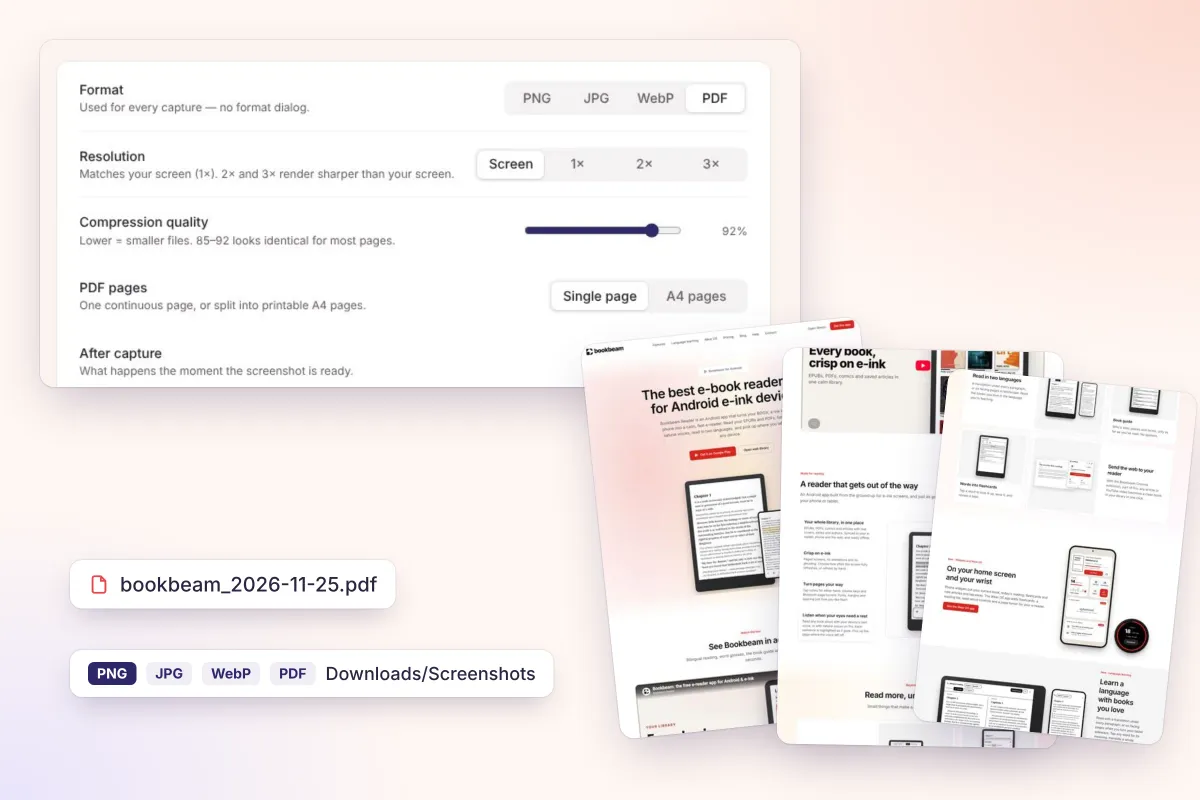
Pick your format once in Settings and every capture uses it. No format dialog, no save dialog.
- Free:
- PNG, JPG and copy to clipboard, saved to Downloads or a subfolder you choose
- Pro:
- WebP and PDF, as one continuous page or split into printable A4 pages
- Resolution:
- Match your screen, or go 2× and 3× for images sharper than your display
- Quality:
- Tune compression to keep files small; 85–92% looks identical on most pages
Works with Claude Desktop
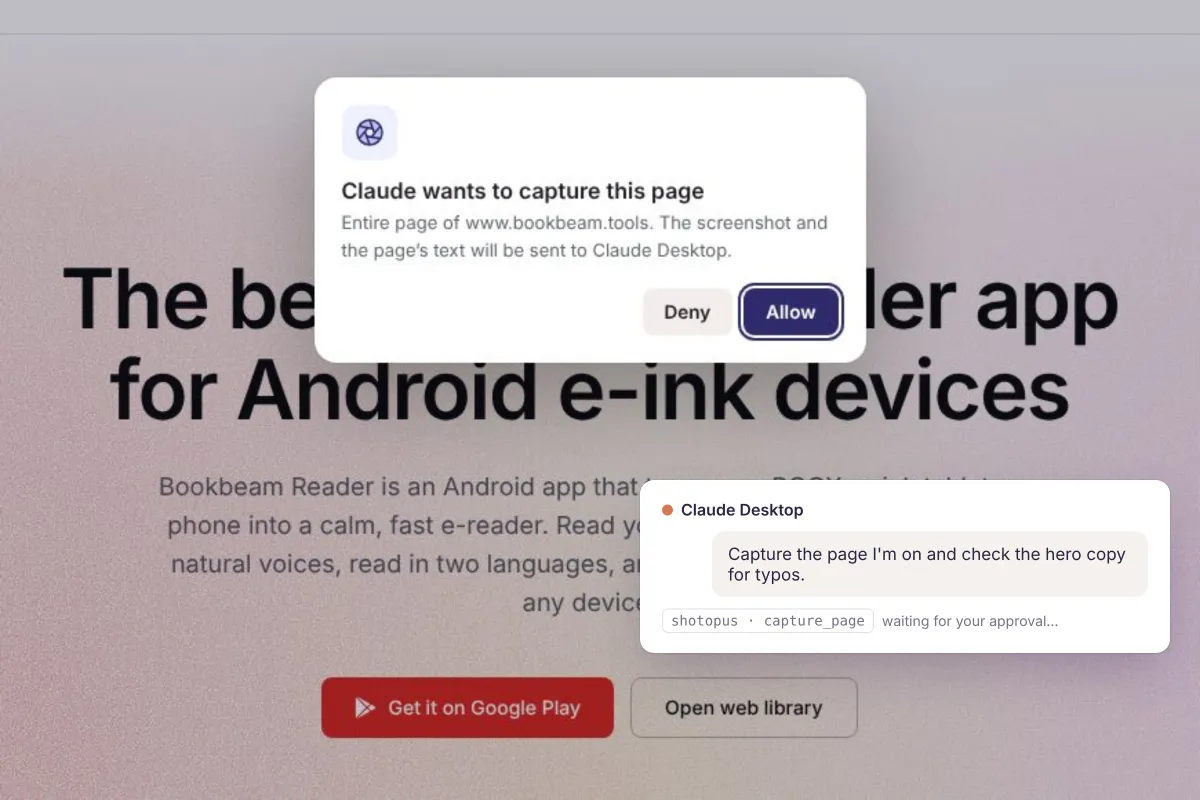
Connect Shotopus to Claude Desktop and Claude can read your screenshots, full page text included, or ask to capture the tab you're on.
- Approval:
- Every capture Claude asks for shows an Allow / Deny prompt on the page first
- Pages:
- Claude gets the stitched page and its text in one go, not a scroll of screenshots
- History:
- Ask about past captures, like last week's pricing page versus today's
- Privacy:
- Runs on your computer and is read-only. Part of Pro
The details people notice
Small things that make Shotopus the screenshot tool you reach for every day.
Keyboard first
Alt+Shift+1, 3 and 4 for page, visible part and selection. Remap them at chrome://extensions/shortcuts.
No watermark, ever
Free captures come out clean too. No logos, no badges, no upsell stamped on your image.
No account needed
Install and capture. Nothing to sign up for, and nothing uploaded to a server.
Chrome, Edge and Brave
Install from the Chrome Web Store in any Chromium browser. One license covers all your browsers.
Pay once, keep it
Pro is a one-time $29 with updates included. No subscription, no renewals.
7-day Pro trial
Every install starts with a week of Pro, so you can try every feature before you decide.
Free vs Pro
Everything you need to capture and annotate is free. Pro is one payment for the power features.
Free
$0 forever
Pro
$29 once